TL;DR
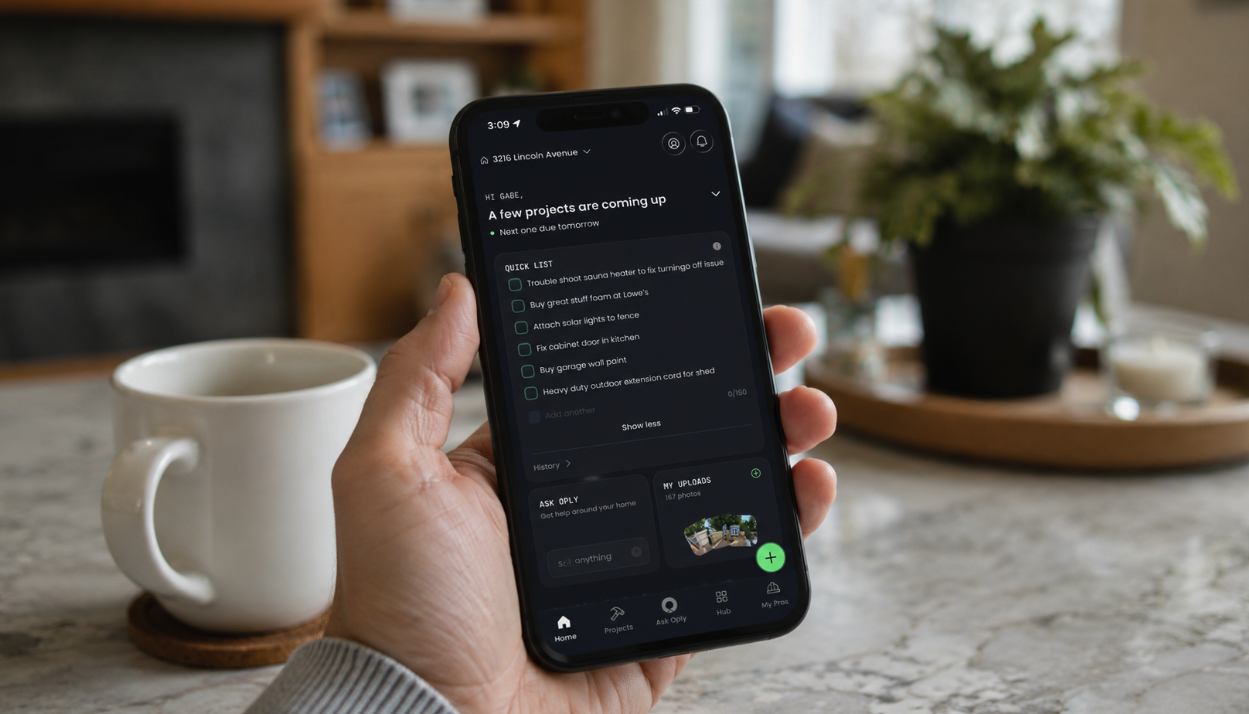
Oply's new Quick List gives homeowners a lightweight command center for every small home task that lives between "I'll remember it" and a full project. Set specific notifications, track completed tasks over time, and convert any to-do into a full project or pro quote request with a single tap.
There is a category of home task that every homeowner knows well.
It is not urgent enough to open a project. It is too easy to forget if you do not write it down somewhere. And it lives in the back of your head for weeks, occasionally surfacing at the wrong moment — usually when you are already doing something else.
Change the lightbulb in the laundry room. Swap the water filter. Pick up a new furnace filter next time you are at the hardware store. Check why the back door is sticking.
None of these are emergencies. Together, they are the low-grade mental clutter of homeownership, the kind that does not break anything on its own but quietly drains the energy of managing a home day to day.
Oply now has a dedicated place for exactly this.
Quick List: your home's daily companion
Quick List is a space inside Oply for every small home task that does not need a full project plan yet. No overhead. No forms. Just a place to put it so it stops living in your head.
Jot down a reminder, set a notification if you want one, and move on. The list is there when you need it and out of the way when you do not.
This is where home maintenance breaks down when you have to remember everything — in the small, recurring, easy-to-defer tasks that accumulate into a home that is never quite caught up. Quick List closes that gap without adding complexity.
Notify Me: reminders that actually land
Every item in Quick List can have a Notify Me alert attached to it — a push notification set for whatever moment you want it to surface.
Not a generic weekly reminder. A specific alert tied to a specific task at a specific time you choose.
The filter you need to grab this weekend. The smoke detector battery you want to check before guests arrive. The caulk around the tub you keep meaning to reapply. Each one gets its own moment — surfaced when it matters, not buried in a general list you eventually stop checking.
This is the difference between hoping you remember and knowing you will.
One-tap conversion: when a small job gets bigger
Some tasks start as a quick note and grow into something else.
What begins as "check the water pressure" becomes a plumbing concern. What starts as "look at that crack in the drywall" becomes a repair that needs a professional. What starts as "figure out the outdoor lighting" turns into a project with a quote involved.
Quick List handles this without starting over. Any to-do can be converted with a single tap into a full Oply project or a request for professional quotes. The task you already captured becomes the foundation for whatever comes next.
Quick List is not where tasks go to be forgotten. It is where they go until you are ready to act — and acting is always one tap away.
History view: the record hiding in plain sight
This is the part that compounds over time.
Every task completed through Quick List is saved in a running history view — a permanent log of home care that builds quietly in the background.
The lightbulb you changed. The filter you swapped. The weatherstripping you replaced. The small things that never made it into a formal project but still represent real maintenance on a real home.
Over time, that history becomes part of building a digital maintenance record for your home — the evidence that the home was cared for not just in the big moments, but in the dozens of small ones that happen between them. A year of Quick List completions is not a list of chores. It is a document of responsible ownership.
The daily companion your home deserves
Quick List makes Oply the app you open when something small occurs to you, not just when something big breaks. It is the home maintenance tracking system for the tasks that used to live on sticky notes, in text threads, and somewhere in the back of your mind.
Open Oply, tap Quick List, and put it somewhere it will not get lost.